

First steps: from the free trial to a ready space
Ask for the free trial, create the company space from the e-mail link and follow the 7 first steps in Company plan until the space is ready for the team.
Watch the lesson
Getting a company space ready takes three moves: ask for the trial, create the space from the link you receive, and follow the checklist in Settings → Company plan.
1. Ask for the free trial
Open the Anyza Club Corporate page and scroll to the form.
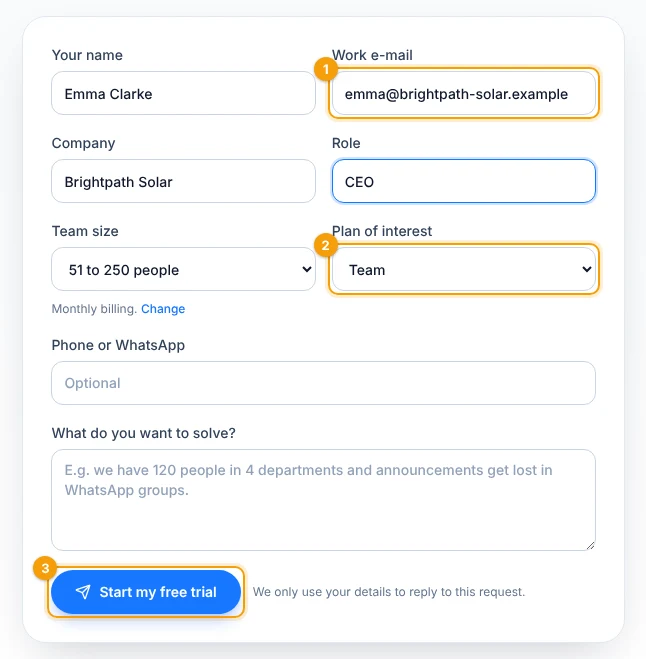
1 Work e-mail · 2 Plan of interest · 3 Send
- Use your work e-mail 1: the link you receive only works with that e-mail.
- Choose the plan of interest 2 (Team or Business). The trial runs on that plan.
- Tap Start my free trial 3. In a moment you get an e-mail with the presentation, the quick-start guide and your personal link.
For more than 250 people, our sales team also contacts you about a guided rollout.
2. Create the company space
Open the link from the e-mail and sign in — or create your Anyza account — with the same e-mail.
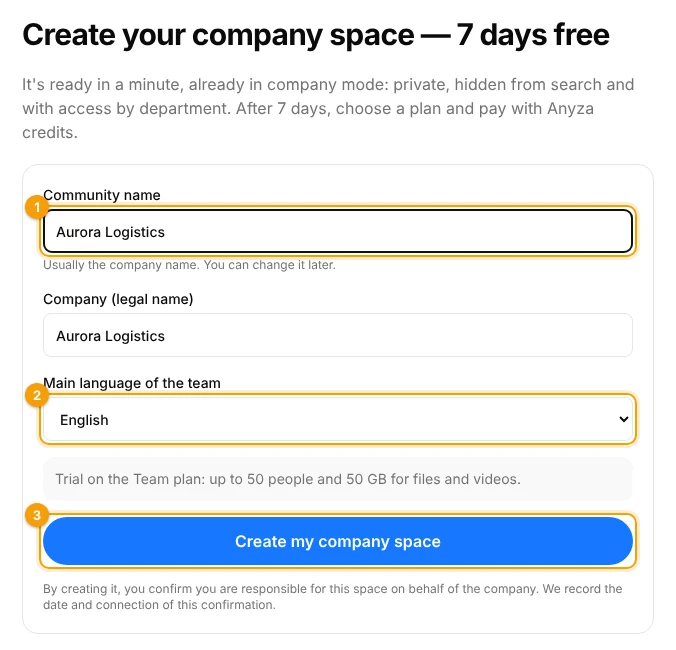
1 Community name · 2 Main language of the team · 3 Create
- Type the community name 1, usually the company name (you can change it later).
- Optionally, type the company's legal name.
- Choose the main language of the team 2.
- Tap Create my company space 3.
The space is created already in company mode, with 7 days free (partners may offer a different period). The link is valid for 30 days and works once, and each person gets one free trial.
3. Follow the first steps
Open Settings → Company plan. The menu shows a number with the steps still open.
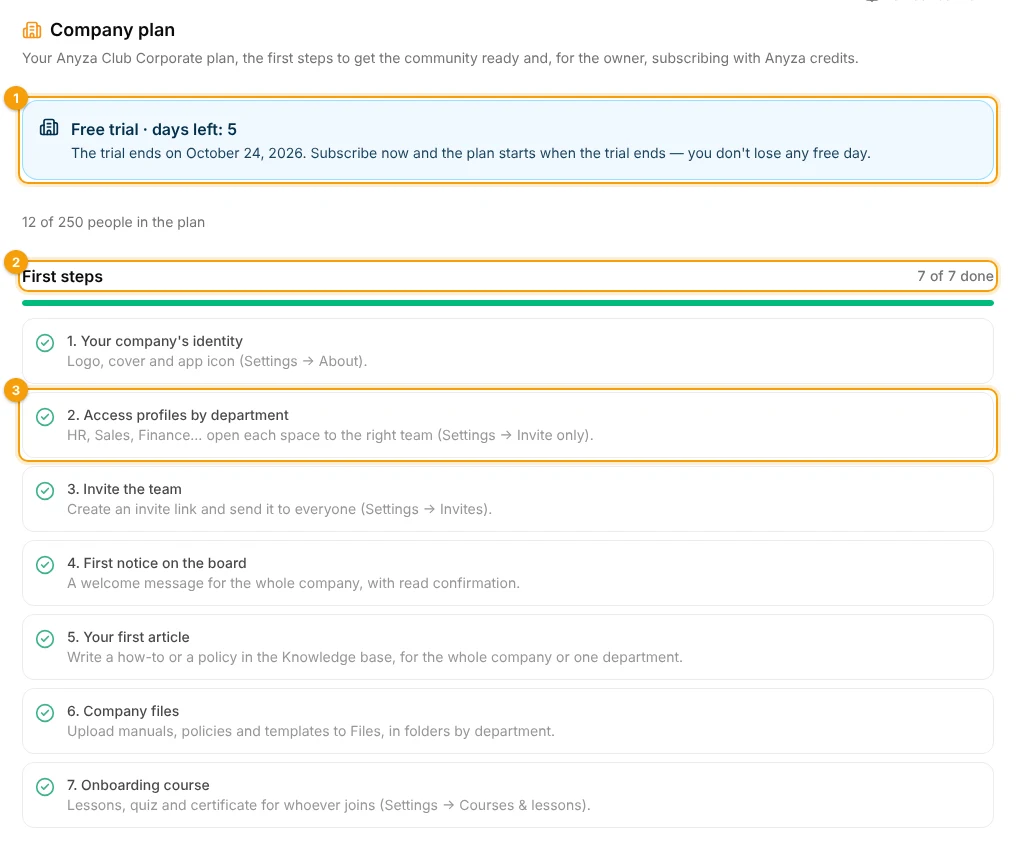
1 Days left in the trial · 2 First steps · 3 Each step opens the right screen
The trial box 1 shows how many days are left and when the trial ends. Below it, First steps 2 lists what makes the space ready. Tap a step 3 to open the screen where you do it:
- Your company's identity: logo, cover and app icon (Settings → About).
- Access profiles by department: HR, Sales, Finance… See Access profiles and invite only.
- Invite the team: from a spreadsheet, by the company domain or with an invite link. See Team.
- First notice on the board: a welcome message for the whole company. See Notice board.
- Your first article in the knowledge base. See Knowledge base and departments.
- Company files: manuals, policies and templates, in folders by department.
- Onboarding course: lessons, quiz and certificate for whoever joins. See Files, videos and courses.
Each step gets a check when it's done. You don't need to finish them in order.
Before the trial ends
Subscribing during the trial doesn't lose any free day: the plan starts when the trial ends. You get an e-mail two days before the end. See Plan, trial and payment.
Related: What Anyza Club Corporate is
Updated 2026-10-19