

Favorites, following and notifications
Save listings you like, follow stores to see their new listings, communities and events, and keep track of everything in the notification bell.
Watch the lesson
Three ways to keep an eye on what interests you, all free and all private. You need to be signed in.
Favorites
Tap the heart on a listing card (Save to favorites) or Save on the listing page. Your list is under Saved (the heart at the top of the site).
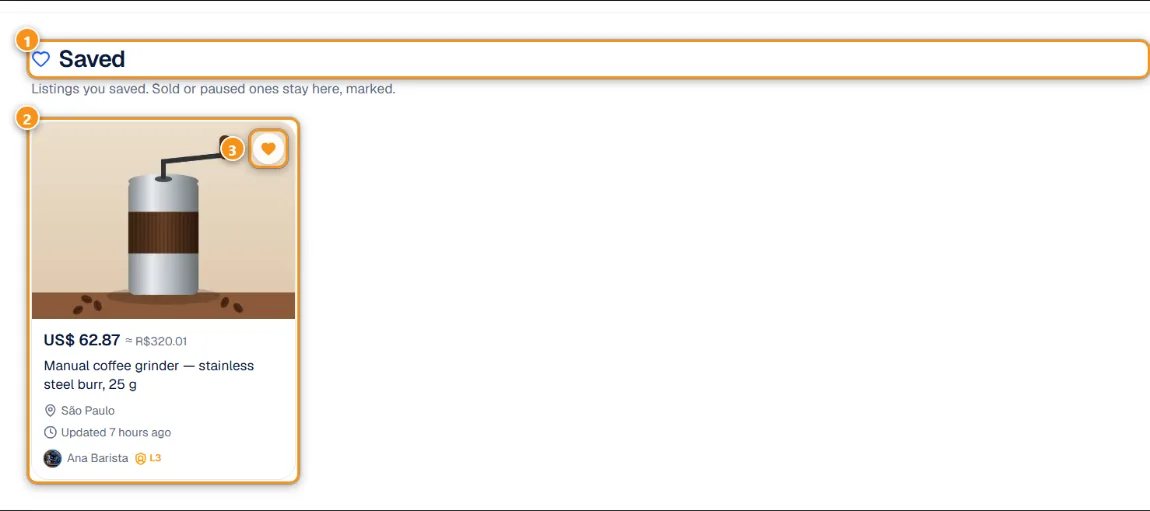
1 Saved · 2 A saved listing · 3 Remove from favorites
Each card 2 shows the current price, the city, when it was last updated and the seller. Sold or paused listings stay on the list, marked as unavailable, so you don't lose track of them. Tap the heart again 3 to remove a listing.
Saving a listing also counts as interest for the seller: it shows in their store numbers, without your name.
Following a store or seller
On a seller's profile, store or listing, tap Follow. You get a notification each time they publish something new.
- The seller sees how many people follow them, never who.
- Some stores have Followers only listings: anyone can see them, but you need to follow the store to negotiate.
- Your follower badge only shows when you write in that store's live chat.
Open Following in the account menu to see everyone you follow in one place.
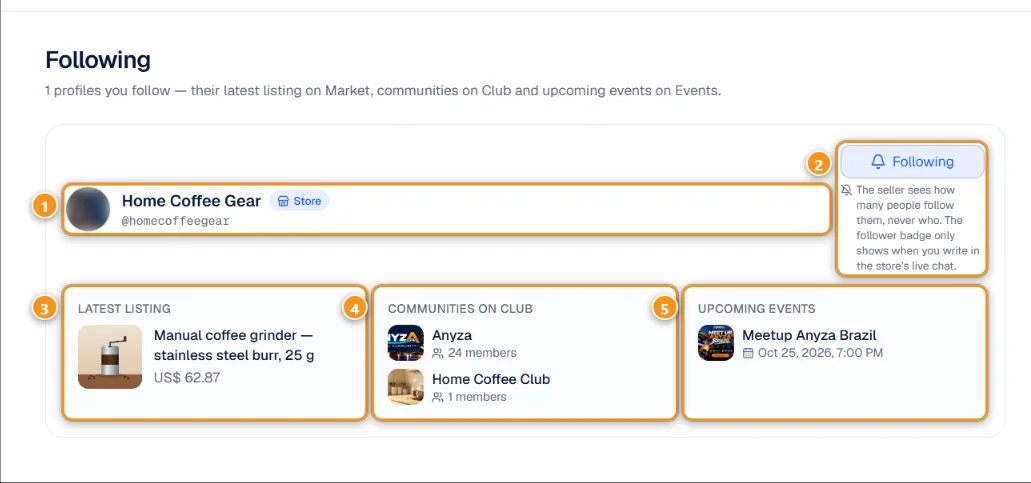
1 The store or person · 2 Following · 3 Latest listing · 4 Communities on Club · 5 Upcoming events
For each profile 1 you see the Latest listing on the Market 3, their Communities on Club 4 and their Upcoming events on Anyza Events 5. Tap Following 2 to stop following. The same list appears under Sellers I watch in My alerts.
Notifications
The bell at the top shows what happened while you were away: new messages, answers to your questions, deals proposed or confirmed, reviews, alerts and new listings from people you follow.
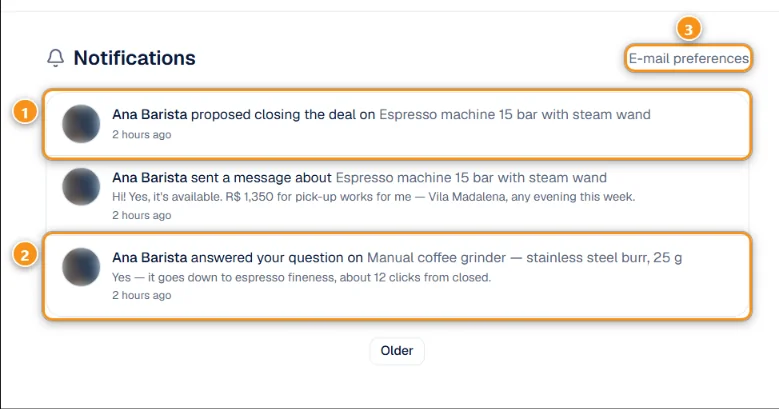
1 A seller proposed to close a deal · 2 Your question was answered · 3 E-mail preferences
Tap a notification to go straight to the chat, the listing or the deal. For example, 1 is the seller marking the item as sold to you, and 2 is the seller answering your public question.
E-mail preferences 3 chooses which of these also arrive by e-mail. See Notifications and e-mails.
Related: Search, filters and alerts · Trading: questions, chat and handshake
Updated 2026-10-17