

Events, lives and tickets
Community events, live streams on the cover and tickets through Anyza Events.
Watch the lesson
Events
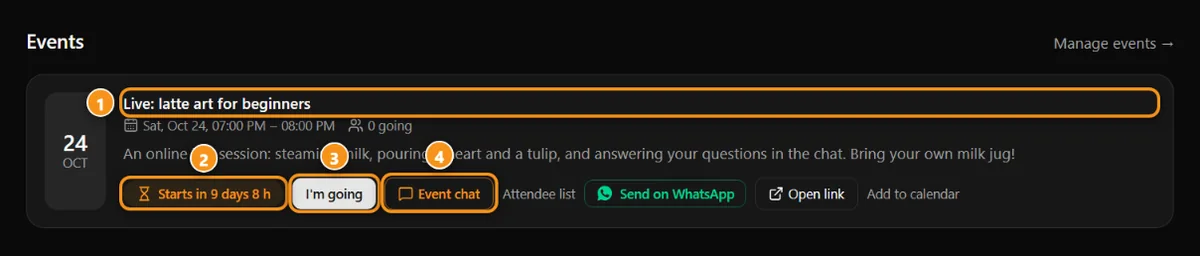
1 the event · 2 countdown · 3 I’m going · 4 event chat
The Events tab lists what the community has scheduled: in person, online or live. RSVP with I'm going, add it to your calendar, join the event chat. People who RSVP get a reminder 24 h before.
Lives on the cover
Live streams show up on the community's cover with a countdown, the player and the chat beside it. Viewers can send a super chat (with credits or crypto straight to the owner). Afterwards, the live becomes a post or a lesson.
Paid events and tickets
Ticketed events are sold through Anyza Events, right on the event page in the Club: you pick the ticket type, pay in USDC/USDT (QR, confirms on its own) or through the organizer's link, and the ticket becomes your sign-up: the chat, the live room and the private link open for you. Your ticket QR is at anyza.events/ingressos.
If you have a ticket and you're not a member of the community, you still get into the event room, until one day after it ends.
For staff
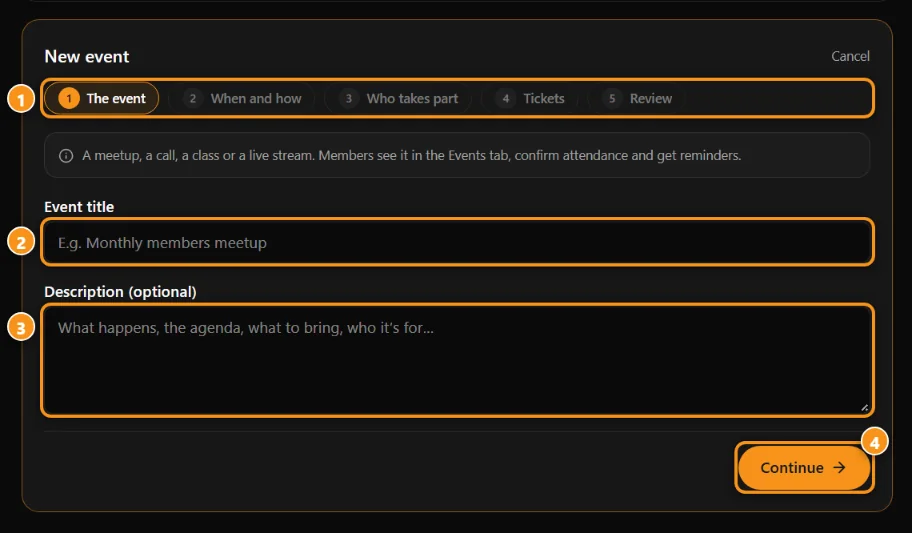
1 the 5 steps · 2 title · 3 description · 4 Continue
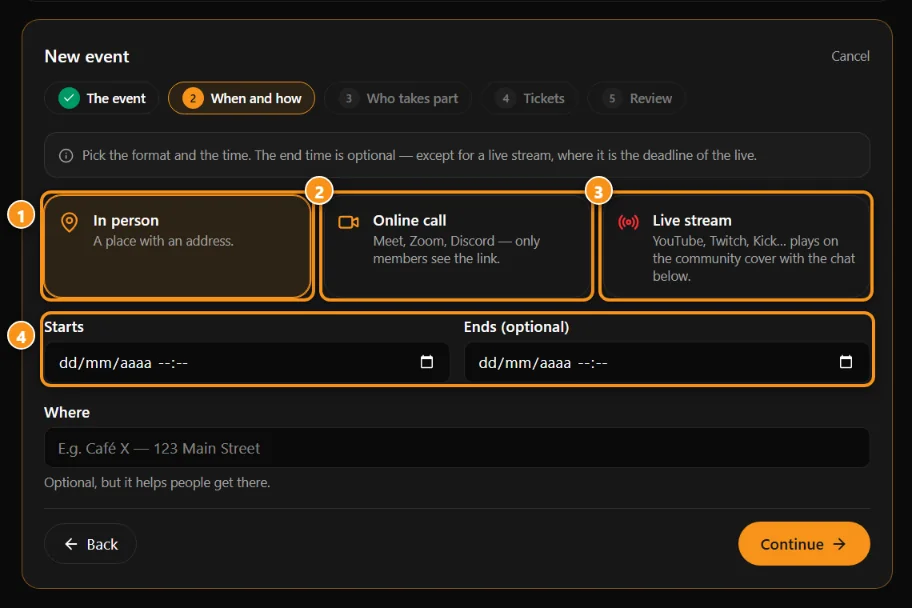
1 in person · 2 online call (only members see the link) · 3 live stream on the community cover · 4 start and end
In Settings → Events: create, edit, mark as a live on the cover, set the price and per-plan discounts, Sell tickets on Anyza Events, see the attendee list.
Updated 2026-10-15